Stop Time Tickets from Auto Filling with Text as You Type
Updated
Time Ticket Codes are shortcuts that allow you to assign a text phrase to a code. In Abacus Accounting, when entering the text of a time ticket, if you happen to have a Time Ticket Code that is a word (i.e. a, in, out, etc…) you are typing; the system will automatically pre-fill the text with the text of the Time Ticket Code. If you do not want to utilize this feature, complete the following:
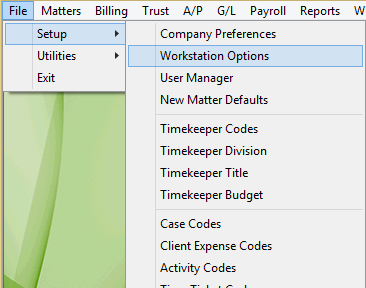
Select File > Set up > Workstation Options.
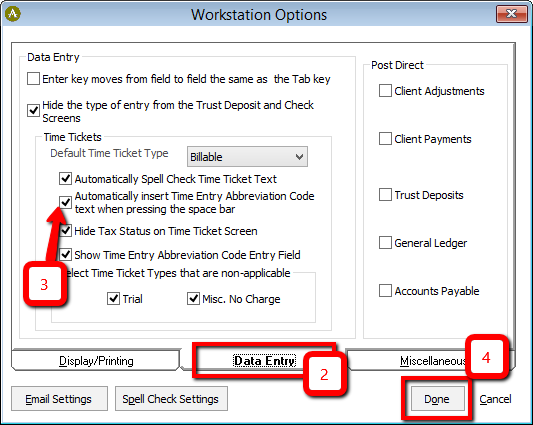
Click the Data Entry tab.
Uncheck the box “Automatically insert Time Entry Abbreviation Code text when pressing the space bar”.
Comments
0 comments
Article is closed for comments.